

How to Choose Lighting for YouTube, Livestreams & Video
Better creator lighting does more than make a picture brighter. It helps skin tones look natural, keeps products consistent, separates the subject from the background, and reduces the amount of correction needed after recording. The right setup depends on the size of the set, the distance between the light and subject, the desired color control, available power, and whether the equipment must travel.
A desk livestream and a full-body product demonstration do not need the same fixture. Start with the production environment, then choose the light output, modifier, control method, and support system that solve that job.
Quick answer: which type of creator light should you choose?
| Production | Useful starting point | What matters most |
|---|---|---|
| Livestreams and video calls | One compact LED panel; add a second for balanced fill | Small footprint, simple control, comfortable placement |
| YouTube talking-head videos | One bi-color COB key light with a modifier | Soft facial light, color-temperature control, quiet operation |
| Interviews and podcasts | Modified key light plus fill or background separation | Consistent skin tone, controlled spill, audio-friendly placement |
| Product demonstrations | Bi-color key light plus fill, reflector, or second fixture | Color accuracy, reflection control, even coverage |
| Gaming, music, and stylized content | Bi-color key plus RGB background or accent light | Independent control of skin tone and creative color |
| Larger sets and full-body work | Higher-output COB light with an appropriately sized modifier | Working distance, modifier efficiency, stand capacity, power |
Start with the size of the set
Working distance is one of the biggest differences between creator setups. A panel positioned just outside a webcam frame does not need to illuminate a large room. A key light placed several feet from a standing presenter, group, or demonstration table needs more output, especially after diffusion is added.
Before comparing wattage, measure the approximate light-to-subject distance and decide how much of the scene must be covered. Also consider whether the modifier can stay close without entering the frame. Moving a light closer often improves both usable output and softness, while moving it farther away requires more power and usually creates harder light unless the modifier also becomes larger.
Use published illuminance figures only when the distance and test conditions are comparable. Wattage describes electrical or rated output class; it does not by itself predict how bright two different fixtures will look through different modifiers.
Compact LED panel or COB light?
Choose a compact panel for a desk-based setup
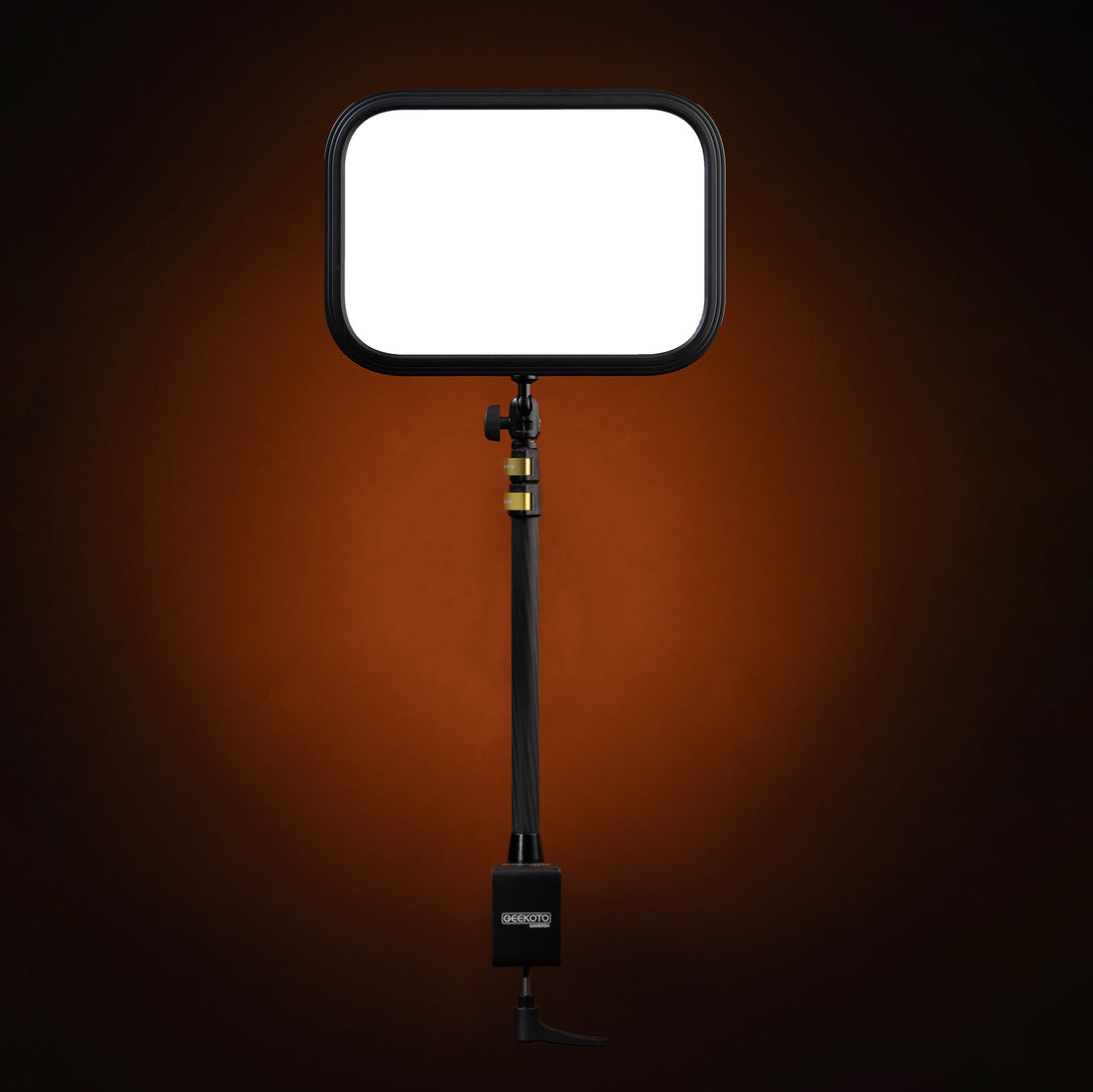
A compact panel is a practical choice when the camera stays near a monitor and floor space is limited. The Geekoto GG-Panel is designed for streaming, gaming, video calls, podcasts, and creator desks. It provides dimmable output, manual and Geekoto app control, and includes a table mount. One panel can serve as a simple face light. A two-panel setup can create more even left-and-right coverage or allow one panel to act as fill.
Panels are easy to place, but they are not automatically the right solution for a wider set. If the camera shows a standing presenter, a demonstration table, or significant background depth, a COB light with a modifier usually provides more flexibility.
Choose a COB light when you need more shaping options
A COB fixture concentrates its output into a source that can be shaped with a reflector, softbox, lantern, or other compatible modifier. That makes it useful for talking-head videos, interviews, product demonstrations, portraits, and small commercial sets.
The tradeoff is a larger complete setup. The fixture, modifier, stand, cables, power supply, and required clearance must all fit the room. Check the exact fixture mount, modifier mount, heat rating, stand capacity, and power method before assembling the kit.
Bi-color or RGB?
Bi-color is the practical default for faces and products
Bi-color control lets a creator adjust the light between warmer and cooler white settings. This helps match window light, household lamps, office lighting, or another fixture without covering the light with corrective gels. It is especially useful when natural skin tone and consistent product color are more important than effects.
The NC100B, NC200, and NC300X each provide 2700K–6500K adjustment, but they differ in output class, control, power, and intended working distance.
RGB is useful when color is part of the set design
An RGB fixture can create colored backgrounds, practical effects, gaming accents, music-video looks, or brand-color separation. Keep the primary light on the face or product neutral unless the creative direction calls for colored key light.
The NC200R is a 200W maximum-output RGB COB fixture with HSI color control, 21 built-in effect types, onboard and Bluetooth app control, and a 3300K–5600K white-light range. Its RGB mode is listed at 150W. That makes it a flexible option when one fixture must handle both adjustable white light and creative color, but its white-light range differs from the 2700K–6500K range of the bi-color models above.

Recommended starting points by production type
Livestreams, gaming, and video calls
Begin with one GG-Panel placed slightly above eye level and off the camera axis. Angle it toward the face and adjust brightness until the skin is exposed without making the background disappear. Add a second panel at lower brightness if the shadow side is too dark or if glasses reflections require a wider lighting angle.
Keep screen brightness and room lighting consistent between sessions. A repeatable position and brightness level usually produces a more professional result than changing the setup before every stream.
YouTube talking-head videos and mobile creator sets
The 100W NC100B is the portable option in this group. It offers 2700K–6500K control, 1%–100% dimming, onboard and Bluetooth app control, compatible Bowens-mount modifier support, and an optional BH100 Power Bank/Grip configuration. The NC100B received 2025 PPA Hot Ones recognition.
Use the supplied 24V adapter when full output is required. The product specifications state that USB-C operation requires a 20V/5A source and limits maximum brightness to 80%. Confirm which NC100B package is selected because the BH100 is not included with every variant.
For a fixed room or a larger modifier, the 200W NC200 provides more output headroom. It offers 2700K–6500K control, CRI/TLCI ratings of 98 or higher, a Bowens-style mount, and onboard manual control. It does not support app control. Choose between these models based on distance, portability, power, and control needs rather than wattage alone. For a side-by-side decision, read NC200 vs NC300X to compare output headroom, room size and modifier choice.
Interviews and podcasts
For one person, place a modified bi-color key light about 30–45 degrees from the face and slightly above eye level. Use a reflector, wall bounce, or lower-powered second light to control the shadow side. For two people, test whether one modifier covers both faces evenly; a wider frame or larger distance may require more output or a second fixture.
Fan noise, cable placement, and room reflections matter on an audio set. Listen to a test recording with the light at the expected brightness before the guest arrives. Keep stands and cables outside walking paths, secure cables, and ballast the support when the fixture or modifier could become unstable.
Product demonstrations and overhead work
Product videos benefit from consistent white balance and controlled reflections. Start with a bi-color key light and a diffuser or softbox, then add white fill, a reflector, or a second light only where the product needs it. Glossy packaging, glass, metal, and screens often require changes in angle rather than more brightness.
The NC200 is a practical mid-output option for demonstration tables and small sets. The 300W-class NC300X adds output headroom for greater distance, larger modifiers, or wider coverage. It provides 2700K–6500K adjustment, 1%–100% dimming, CRI/TLCI ratings of 97 or higher, and Bowens-mount compatibility. It uses onboard manual controls and does not support mobile-app control.
For overhead camera or lighting positions, confirm that every clamp, arm, plate, stand, and counterweight is rated for the complete load. Never place unsupported equipment above a person or valuable product.
Creative backgrounds and branded sets
Use a neutral bi-color source as the key and place an RGB fixture on the background, set wall, shelf, or practical object. This separates creative color from skin-tone exposure, so either part can be adjusted without rebuilding the entire look.
The NC200R can also serve as the main fixture when its white-light range and control options suit the set. Before recording, save or document the hue, saturation, brightness, white balance, and fixture position so episodes remain visually consistent.
How many lights do creators need?
One light
One well-placed light is enough for many streams, talking-head videos, tutorials, and product demonstrations. Use it as the key, then shape the shadow side with a reflector, white wall, or controlled ambient light.
Two lights
A second light can provide fill, illuminate the background, create hair or rim separation, or cover a second person. Give it one clear job. Two poorly placed lights can flatten the face, while one purposeful key plus one restrained fill creates depth.
Three lights
A three-light setup commonly uses key, fill, and background or rim light. It is useful for repeatable studio production, but it also adds stands, cables, power, and control decisions. Add the third light only when the first two cannot solve a specific problem.
Choose the modifier and support as part of the system
The fixture is only one part of the lighting result. A compact softbox is easier to place in a small room. A larger source can cover more of a standing subject or demonstration table, but it also needs more space, catches more moving air, and places more leverage on the stand.
Every Geekoto modifier uses Fold-Flat technology, including the Y-Wing reflector. Compare current options in the Fold-Flat modifier collection, or use the guide Which Light Modifier Should You Choose? to match shape and size to the assignment. Then use How to Position a Softbox for Portraits to translate modifier choice into height, angle, distance and feathering.
Confirm the exact light mount, adapter, modifier mount, heat rating, total supported weight, and stand capacity. Add appropriate ballast whenever a modifier, cable movement, uneven floor, or nearby traffic could make the setup unstable. For creator rooms, route power and data cables so they cannot be pulled by a chair, foot, pet, or moving camera.
Control and power questions to answer before buying
- Manual or app control: decide whether you need remote adjustments from behind the camera or prefer simple onboard controls.
- AC or portable power: verify the exact adapter, battery, USB-C requirement, or optional power accessory for the chosen model.
- Color-temperature range: match the fixture to the practical lights and daylight conditions used in the room.
- Fan behavior: test fan noise at the intended output and microphone position.
- Modifier system: confirm the mount, adapter, heat rating, and included accessories.
- Support: calculate the complete load, including fixture, modifier, adapter, cables, camera, and accessories.
- Working distance: compare published output only at equivalent distances and with comparable reflector or modifier conditions.
Geekoto creator-lighting comparison
| Model | Best starting use | Verified selection notes |
|---|---|---|
| GG-Panel | Desk streaming and video calls | Compact dimmable panel; manual and app control; table mount included |
| NC100B | Mobile video, YouTube, interviews | 100W bi-color; 2700K–6500K; app and onboard control; optional BH100 configuration |
| NC200 | Talking heads, podcasts, product demos | 200W bi-color; 2700K–6500K; manual control; Bowens-style mount |
| NC200R | RGB backgrounds and creative sets | 200W maximum; 150W RGB mode; 3300K–5600K white light; app and onboard control |
| NC300X | Larger modifiers and wider sets | 300W class; 2700K–6500K; manual control only; Bowens-mount compatible |
Frequently asked questions
What is the best lighting for YouTube videos?
For many talking-head videos, start with one bi-color COB light and a compatible softbox placed close to the subject. Choose output based on distance, framing, modifier size, and ambient light. A compact panel may be sufficient for a desk-only frame.
Is one light enough for livestreaming?
Yes. One compact panel or modified COB light can create a clean livestream image. Add a second light only when you need more fill, background separation, or balanced left-and-right coverage.
Should a creator buy bi-color or RGB lighting first?
Choose bi-color first when the priority is natural faces, interviews, teaching, or accurate products. Choose RGB when colored backgrounds and effects are a regular part of the content. Many creators use a bi-color key and RGB accent light together.
Can a photography softbox be used on a COB video light?
Only when the mount, adapter, and heat rating are compatible with the exact fixture. Confirm the complete setup on the product pages before use, and support the combined weight with a properly rated stand and ballast.
Does a higher wattage always make a better creator light?
No. Higher output can help at longer distances or through larger modifiers, but a smaller fixture may be better for a close desk setup. Compare illuminance at the same distance, color quality, control, power, fan behavior, modifier compatibility, and the space available.
Final recommendation
Start with one light that fits the production you make most often. Choose a GG-Panel for a compact desk, an NC100B for portable bi-color control, an NC200 for a stronger manually controlled key, an NC200R when RGB is part of the set design, or an NC300X when distance and modifier size require more headroom. Add a second fixture only after the first light has a repeatable position and purpose.
Build the complete setup: explore Content Creator Lighting and Production Gear or compare the current Continuous LED and COB Lights. Verify the exact power method, controller features, mount, modifier, and support requirements before purchasing.

